Microsoft Office for Windows Setup
| ||||||||||||||||
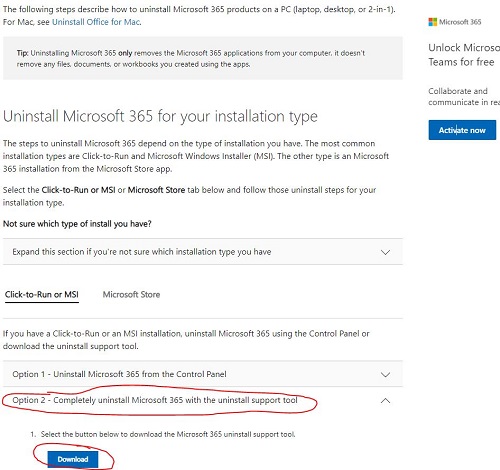
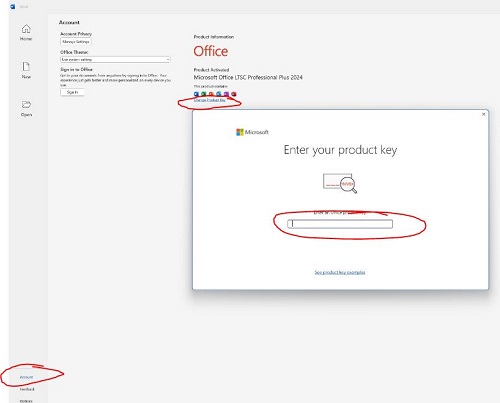
Microsoft Office for Windows Setup DOWNLOAD LINK & INSTRUCTIONS: Step 1: Uninstall any existing offices (important). Visit the link below, select Option number 2, and then click on "Download." Once the download…
| ||||||||||||||||
Send us your order number and a description of the issue. Keep your product key private.
Contact support ↗Software Mart Australia · Updated 16 Sep 2026
From our HowToSetup tutorial library.