How to setup Windows Server 2019
Please download the latest Windows Server 2019 ISO from this below link
https://drive.com/file/d/11jKxpRo9Hjk7eTJL0STxTqlWG6qTia5_/view?usp=sharing
Windows Server products & resources
Download Windows Server 2019
https://www.microsoft.com/en-us/evalcenter/evaluate-windows-server-2019
Download Windows Server 2019 Essentials
https://www.microsoft.com/en-us/evalcenter/evaluate-windows-server-2019-essentials
HOW TO ACTIVATE WINDOWS SERVER 2019 EVALUATION EDITION WITH VLSC MAK KEY OR RETAIL KEY #WINDOWSSERVER #MVPHOUR
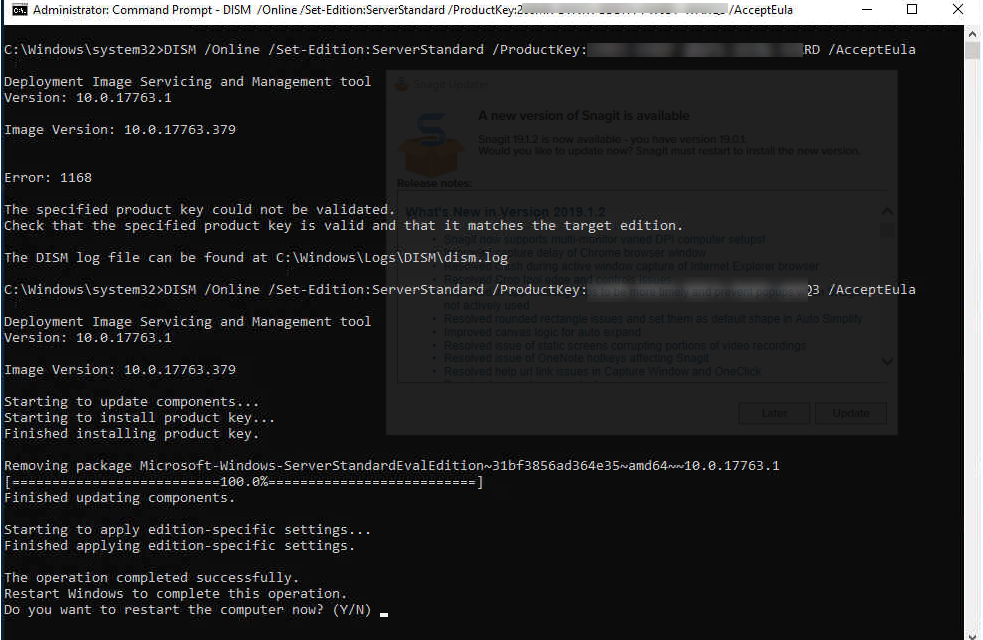
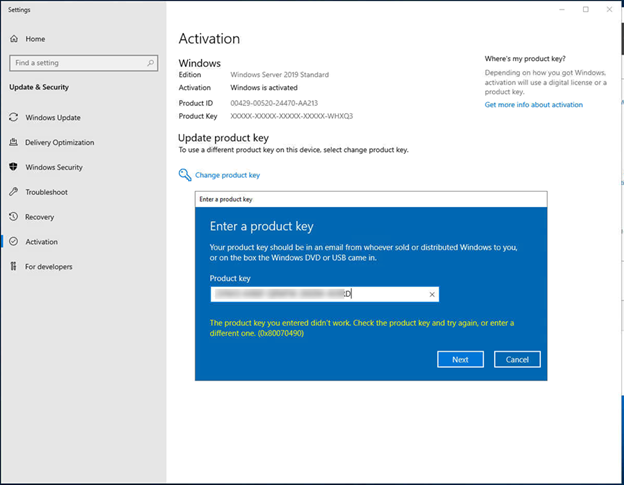
When you try to activate Windows server 2019 from evaluation version, do you always get an error message “the product key you entered didn’t work. Check the product key and try again, or enter a different one. (0x80070490)”? Today, I am going to show you how to install license key to activate Windows Server 2019 from Evaluation version. Let’s follow steps to activate your windows server 2019 (it also can be use for activating Windows Server 2016).
Note: you cannot use slmgr /ipk command with VLSC MAK key or Retail to activate evaluation edition server directly.
- Login to Windows Server 2019.
-
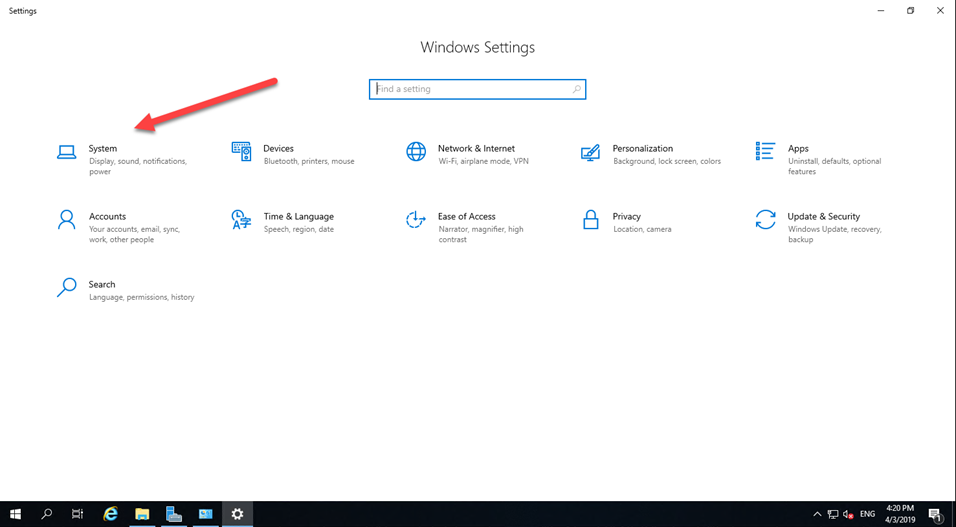
Open Settings and then select System.
-
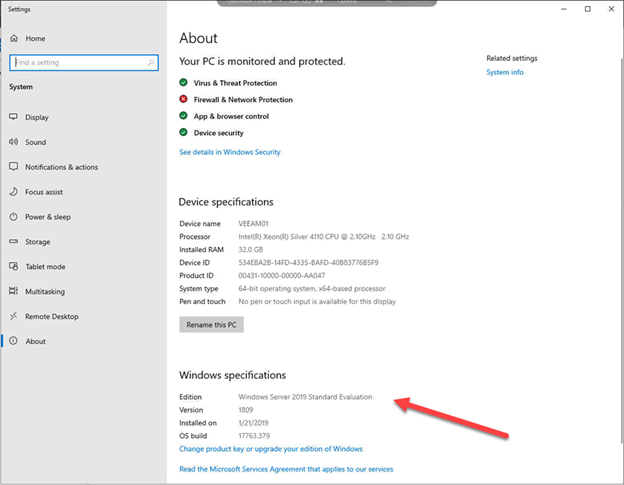
Select About and check Edition.
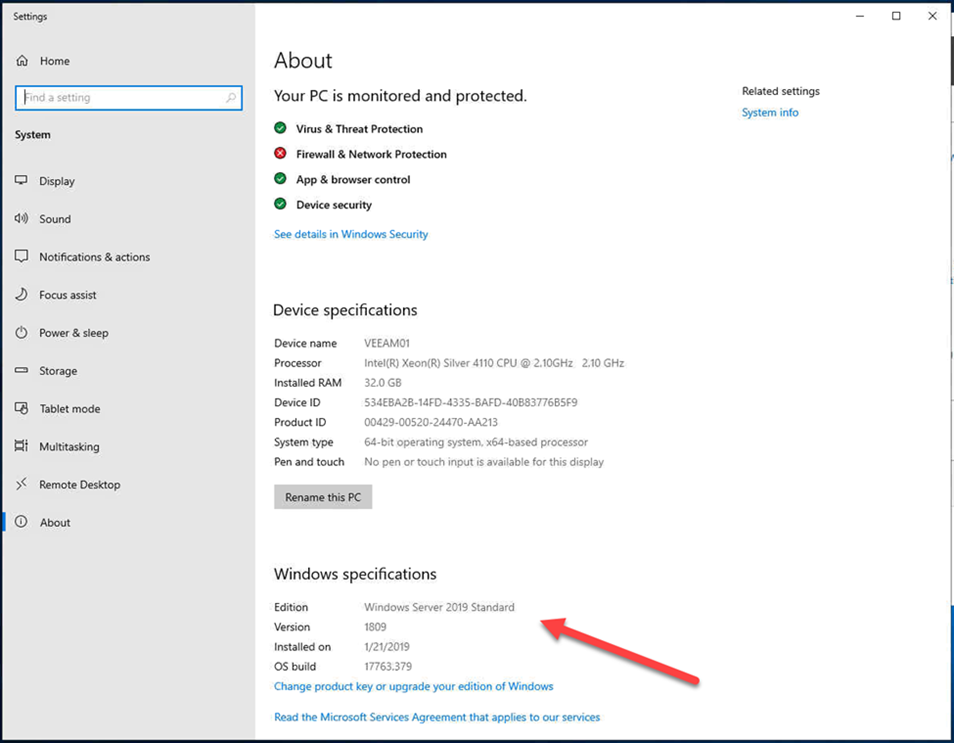
- If it shows Windows Server 2019 Standard or others non-evaluation edition, you can activate it without reboot.
-
Don’t use GUI to activate it, you will get error message most of time.
- Run command prompt or PowerShell as administrator.
-
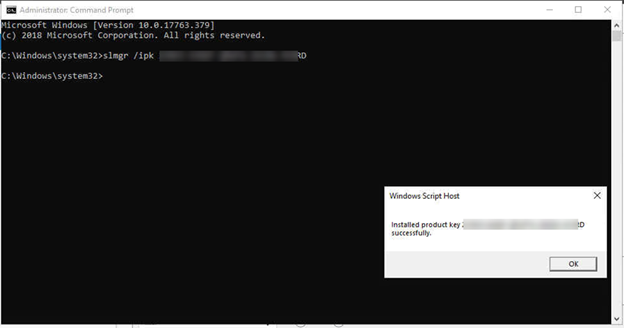
Type following command.1
slmgr /ipk your_product_key -
It will pop up Windows Script Host window and shows “install product key xxxxx-xxxxx-xxxxxx-xxxxx successfully. Click OK to close the window.
-
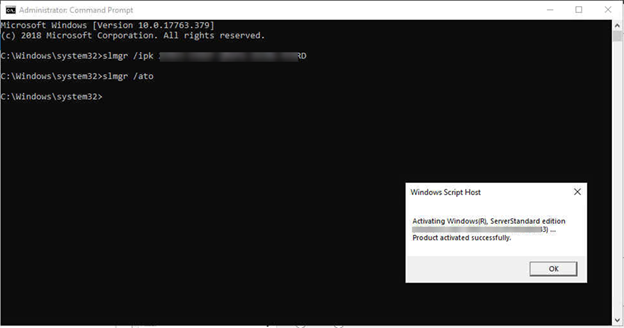
Type following command to activate license key.1
slmgr /ato -
It will pop up Windows Script Host window and shows “Activating Windows ®, ServerStandard edition (xxxxx-xxxxx-xxxxxx-xxxxx).. Product activated successfully”. Click OK to close the window.
- That’s it, you have already activated your server without reboot.
-
But when you check your server edition and it shows Windows Server 2019 Standard Evaluation, you need more steps to activate it and need to reboot server.
-
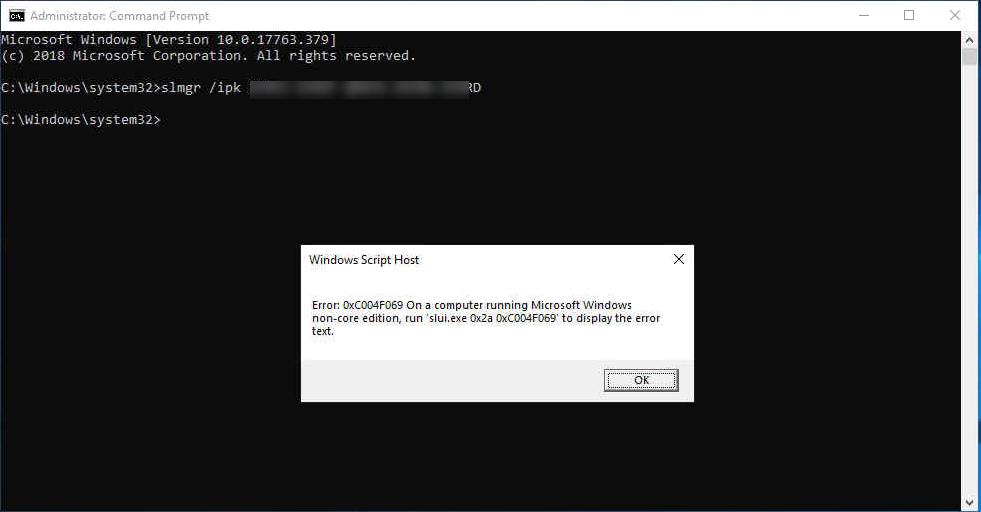
You cannot use slmgr command to install product key(Retail or VLSC MAK key) to evaluation edition server, you will get error message “Error:0xC004F069 On a computer running Microsoft Windows non-core edition….”
-
To upgrade evaluation edition server to standard (or Datacenter) edition, you cannot use VLSC MAK key, you will got error message “Error 1168 the specified product key could not be validated……”
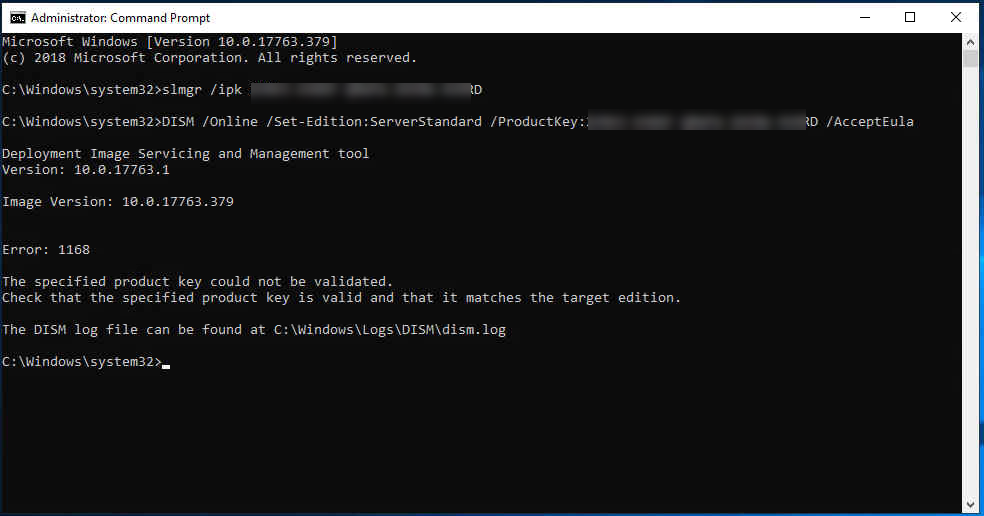
- You need a KMS clients Activation and product Keys—Key Management Services (KMS) client activation and product keys for Windows Server and Windows | Microsoft Docs ( and use DISM command to upgrade Edition from evaluation edition to standard (or Datacenter) edition
-
Type following command to upgrade evaluation edition to standard (or Datacenter) edition.
Standard Edition:
1DISM /Online /Set-Edition:ServerStandard /ProductKey:xxxxx-xxxxx-xxxxx-xxxxx-xxxxx /AcceptEulaDatacenter Edition:
1DISM /Online /Set-Edition:ServerDatacenter /ProductKey:xxxxx-xxxxx-xxxxx-xxxxx-xxxxx /AcceptEula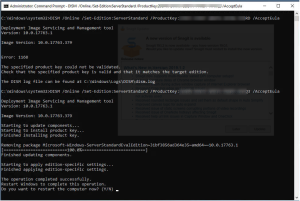
- Click Y and restart the server. if you own VLSC MAK license not retail, you need to following steps to install your VLSC MAK key and activate for your server.
- Login the server after reboot.
- Run command prompt or PowerShell as administrator,
-
Type following command.1
slmgr /ipk XXXXX-XXXXX-XXXXX-XXXXX-XXXXX (your VLSC MAK key) -
It will pop up Windows Script Host window and shows “install product key xxxxx-xxxxx-xxxxxx-xxxxx successfully. Click OK to close the window.
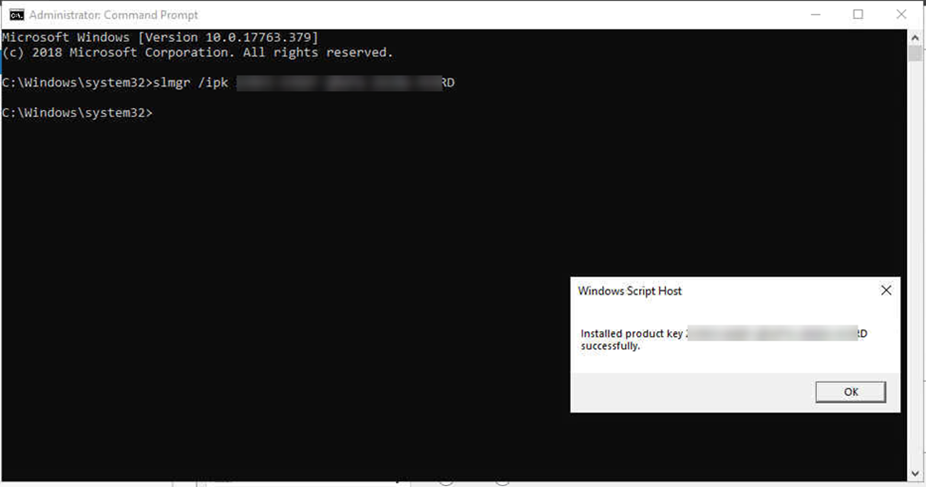
-
Type following command to activate license key1
slmgr /ato -
It will pop up Windows Script Host window and shows “Activating Windows ®, ServerStandard edition (xxxxx-xxxxx-xxxxxx-xxxxx).. Product activated successfully”. Click OK to close the window.
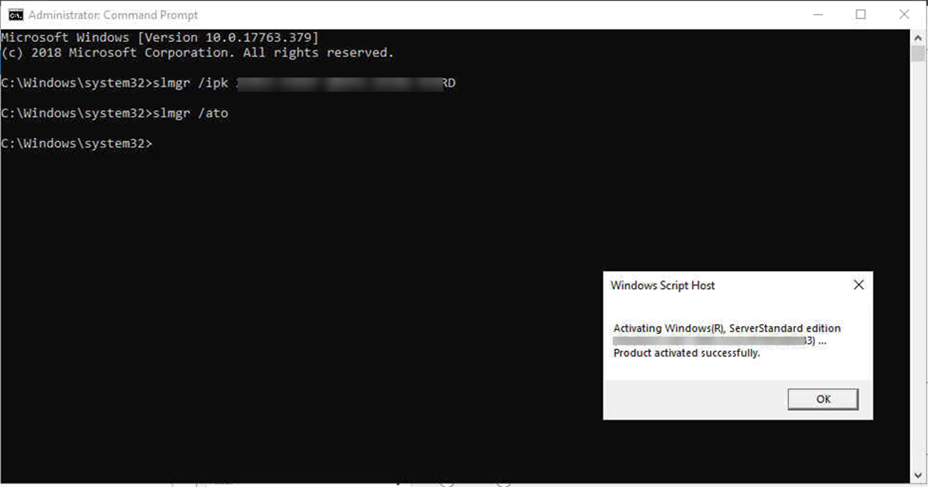
- That’s it, you have already change product key from Retail key to VLSC MAK key and activated your server without reboot.
