 Buy a Genuine Microsoft Windows 10 Key
Step 1:
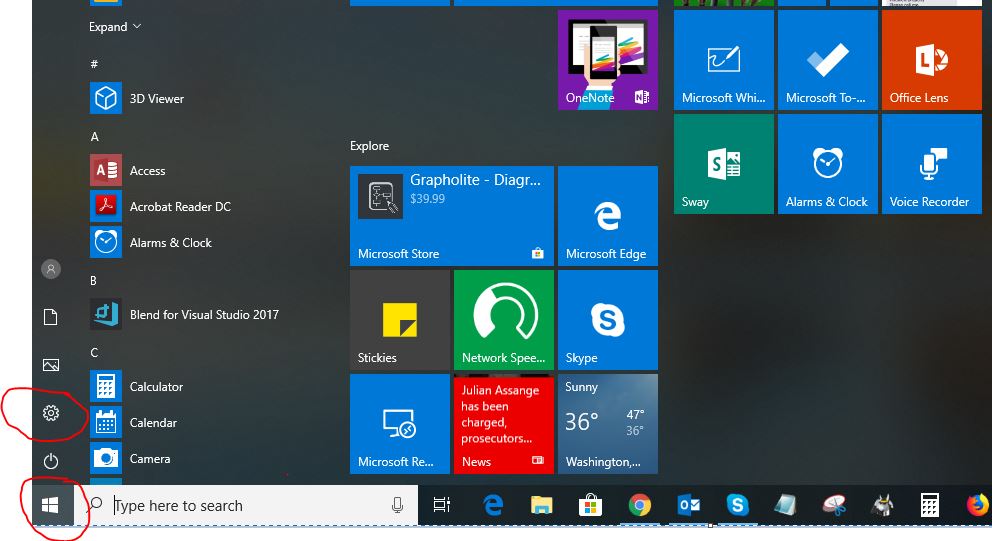
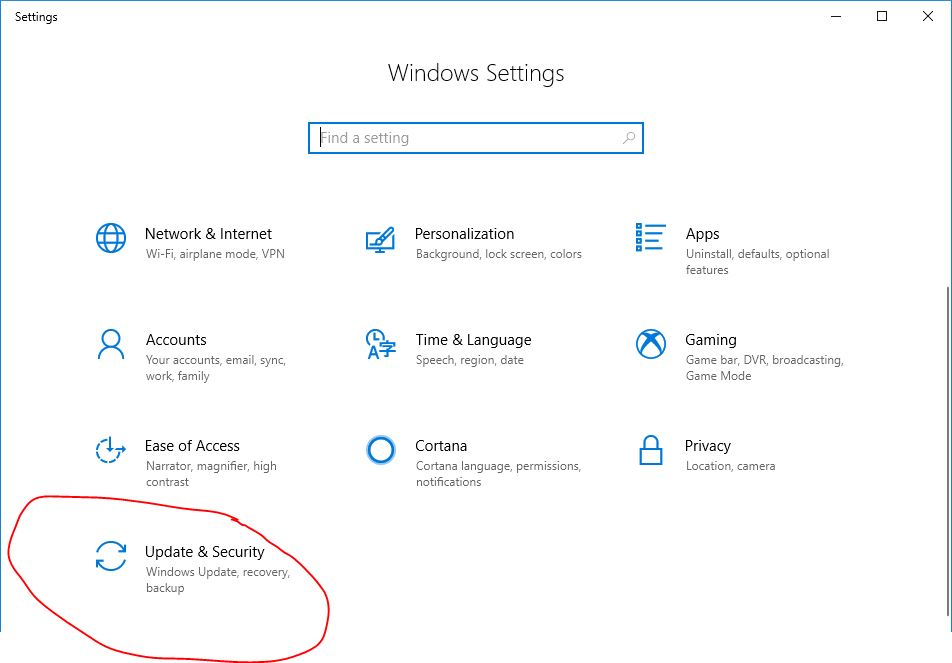
Click the start button --> then click Settings --> then click Update & Security --> then click Windows Update --> click check for updates and also download and install.
Please restart your machine and check a few more times and update every Windows feature and then restart your machine and apply the key.
Step 2:
- Visit: https://www.microsoft.com/en-us/software-download/windows10
- Click “Update Now” and it will download/save a file name "Windows10Upgrade9252.exe"
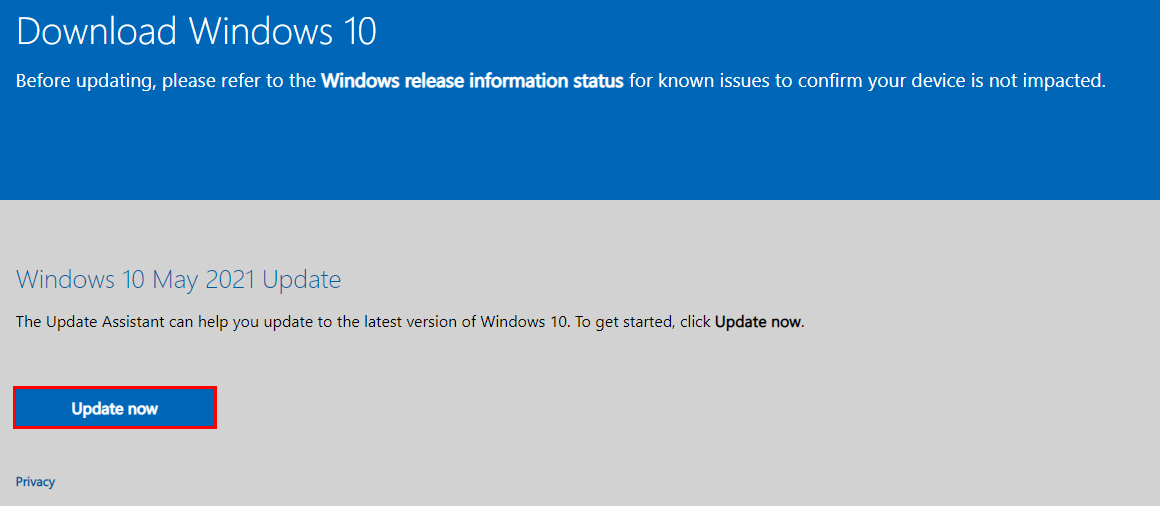
- Double click / run the “Windows10Upgrade9252.exe”
- Follow the prompt to finalize the upgrade and restart your machine if necessary
- Restart your machine (VERY IMPORTANT)
Step 3:
Activate your Windows 10
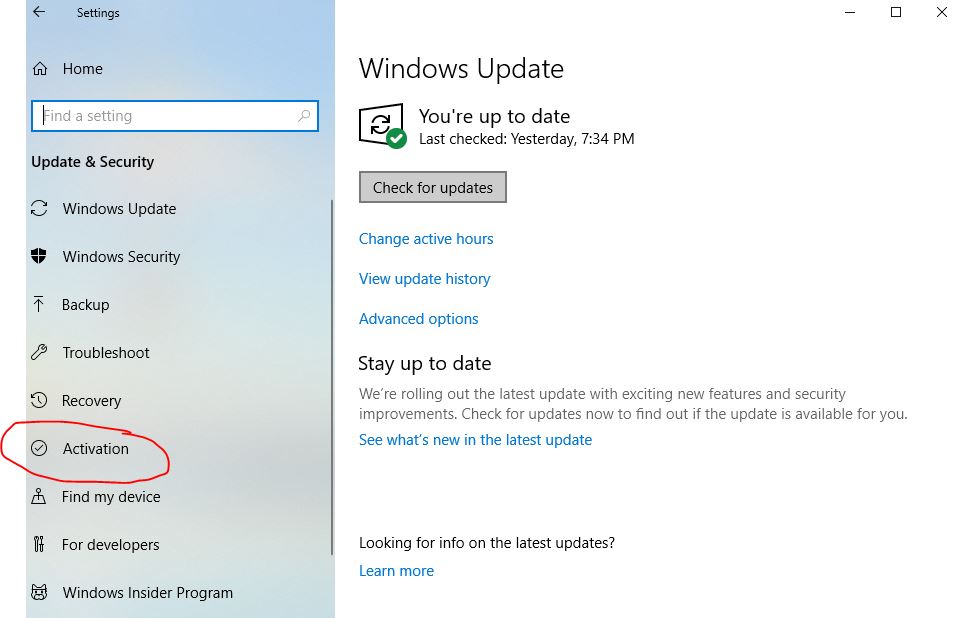
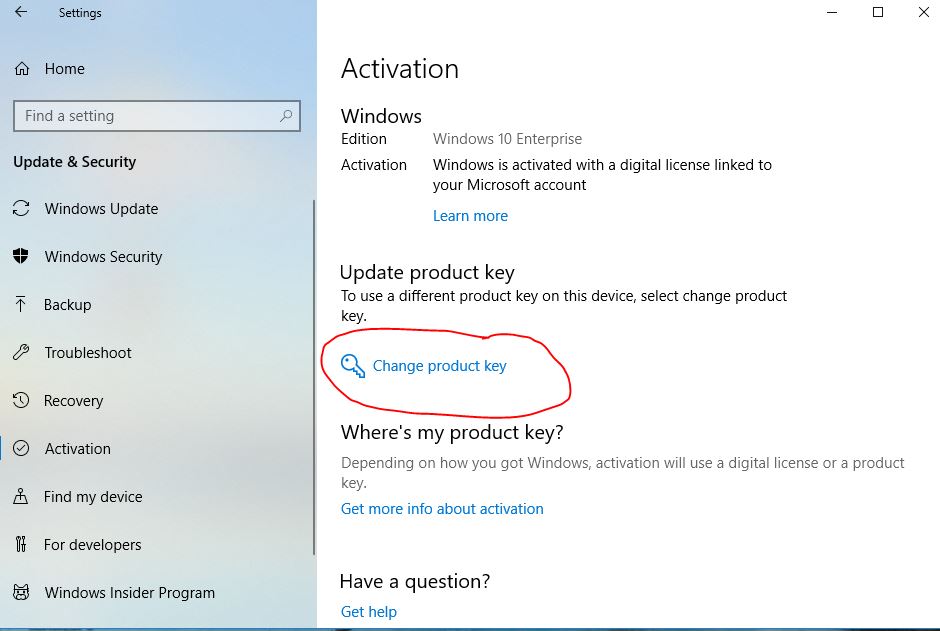
1. To Activate: Start - Setting - Update & Security - Activation - Change Product Key
2. Restart your machine again (VERY IMPORTANT)
-
Step 1: Click Windows Start Button then => Click Settings
Source screenshot unavailable. View the original image reference
-
Step 2: Scroll bit down if needed and then Click "Update & Security"
Source screenshot unavailable. View the original image reference
-
Step 3: Click "Activation"
Source screenshot unavailable. View the original image reference
-
Step 4: Click "Change Product Key"
Source screenshot unavailable. View the original image reference
-
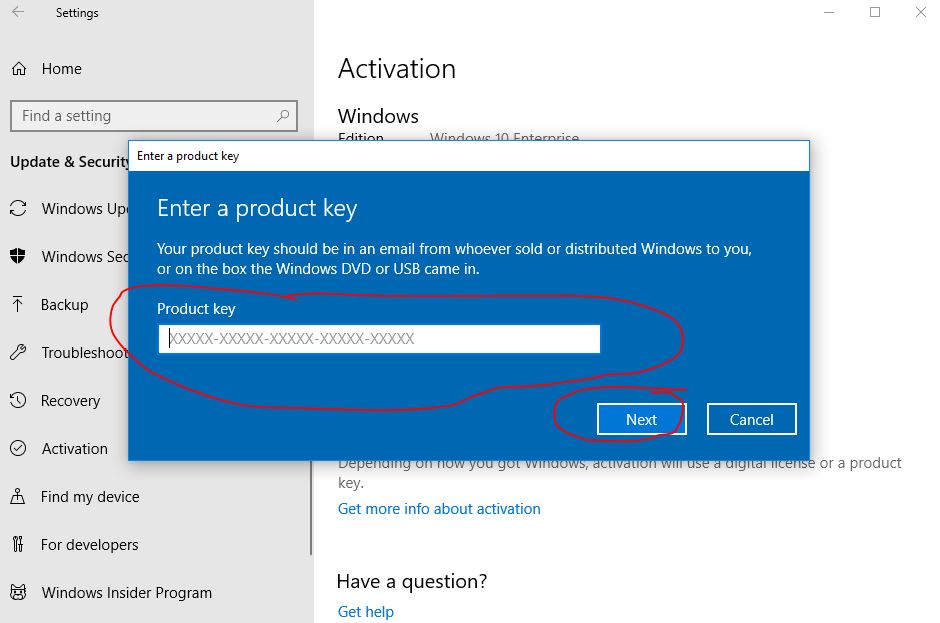
Step 5: Enter your 25 digits Key and Click "NEXT"
Source screenshot unavailable. View the original image reference