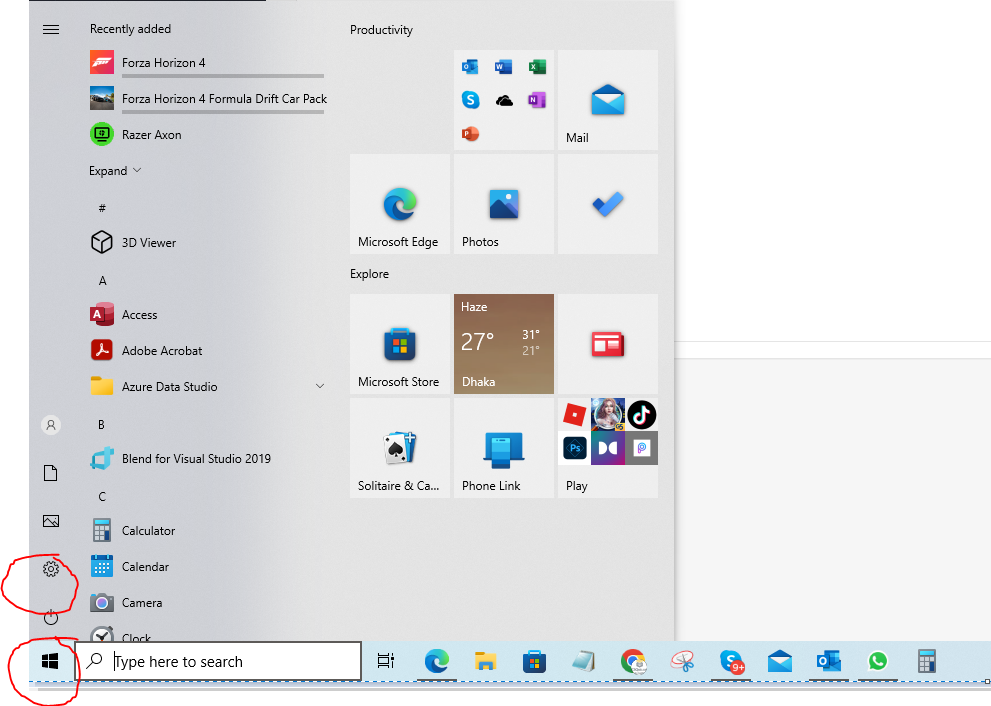
- On the Start menu, select Settings .
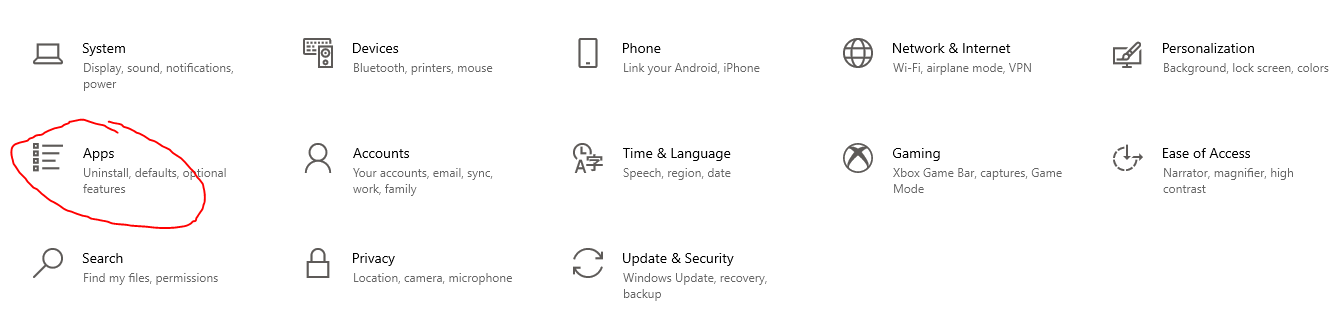
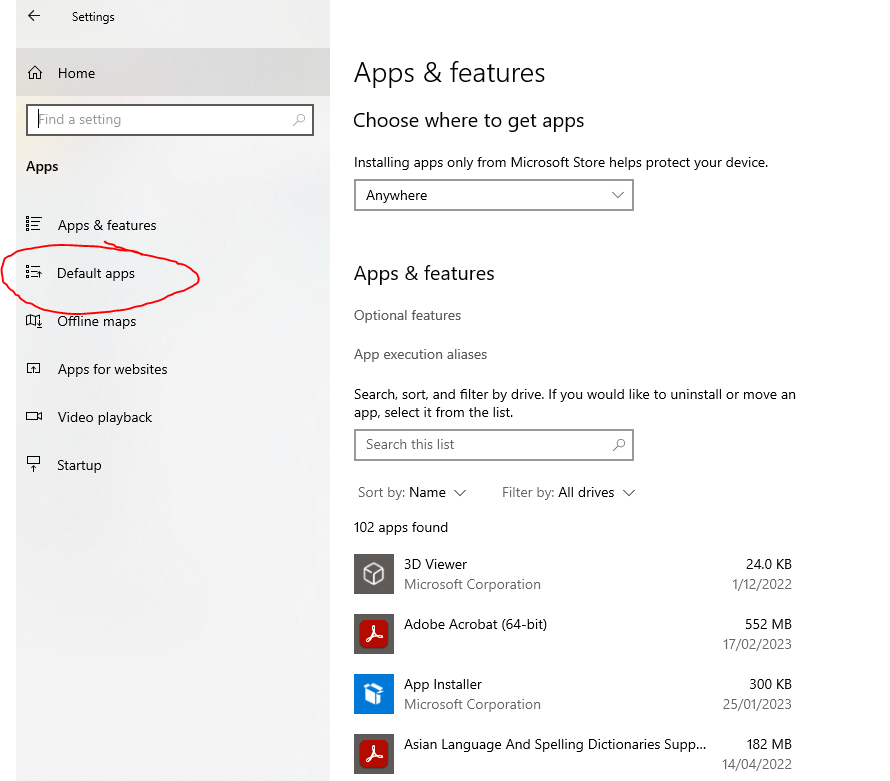
- Select Apps > Default apps.
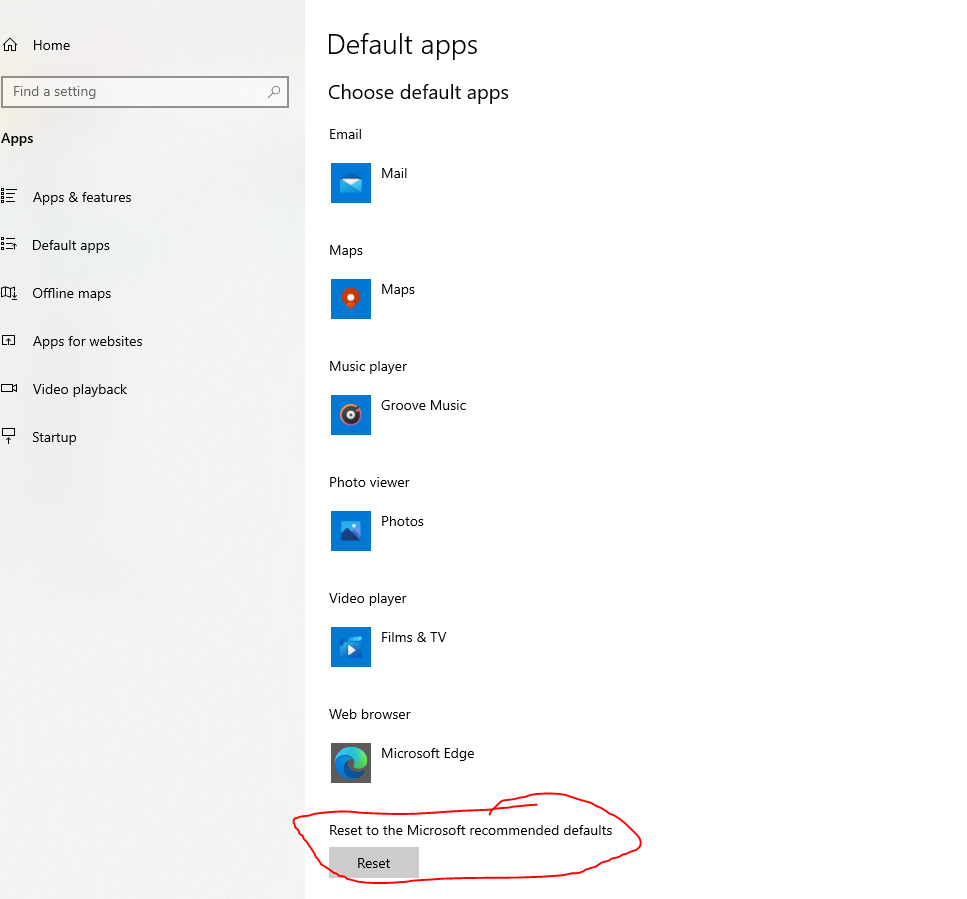
- Click "Reset to the microsoft recommended defaults"
- Click "Reset" button
On the Start menu, select Settings . Select Apps > Default apps. Click "Reset to the microsoft recommended defaults" Click "Reset" button
Send us your order number and a description of the issue. Keep your product key private.
Contact support ↗Software Mart Australia · Originally published 21 Feb 2023
From our HowToSetup tutorial library.