Screenshot for How to create bootable USB from a direct ISO download

Screenshot for How to create bootable USB from a direct ISO download

1. Download Windows 10 full ISO 64 / 32  bit 

Download Windows 10 ISO 64 bit

Download Windows 10 ISO 32 bit

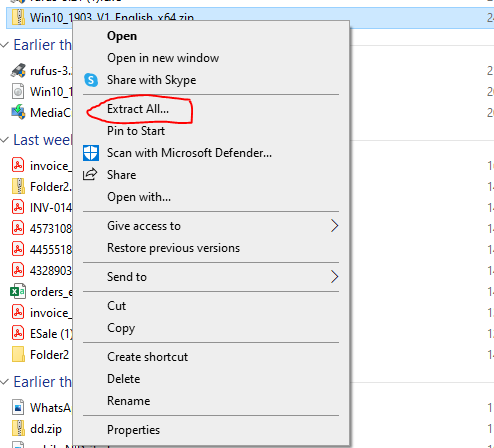
2. Extract your downloaded file 

Screenshot for How to create bootable USB from a direct ISO download

3. Download rufus to create bootable USB

click to Download rufus 3.21

or click here for latest download from rufus site

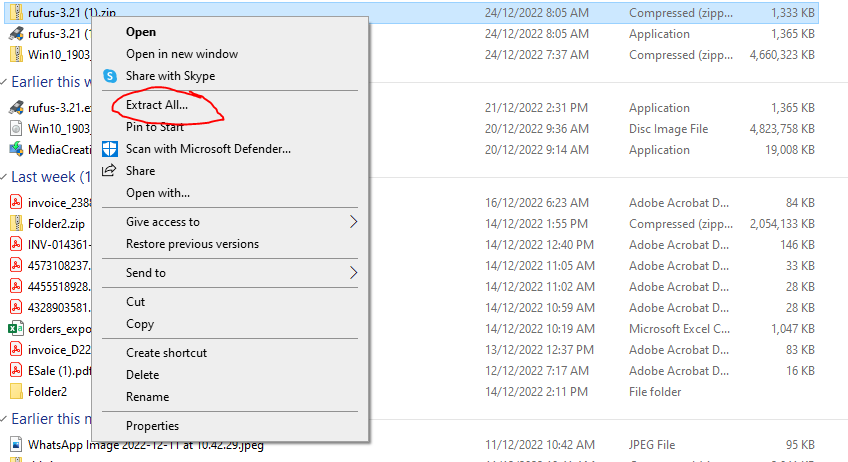
4. Extract rufus and double click to install it

Screenshot for How to create bootable USB from a direct ISO download

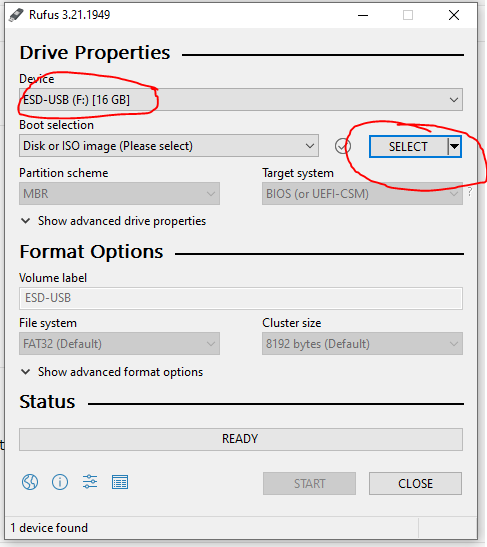
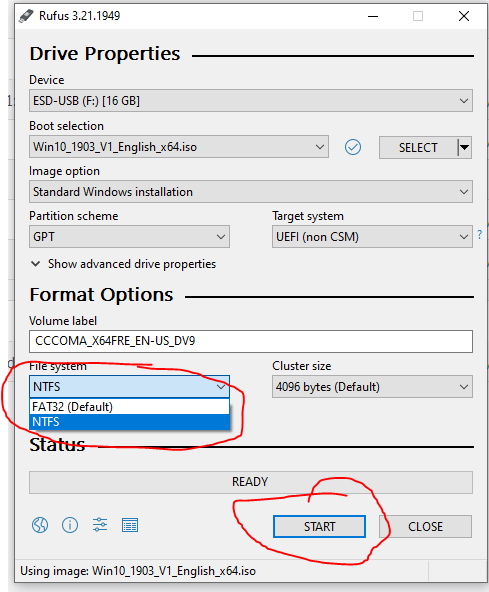
5. Insert your USB (8 GB or more space is required) and select the extracted windows 10 ISO file and then click start 

Screenshot for How to create bootable USB from a direct ISO download

Screenshot for How to create bootable USB from a direct ISO download