How to clean-up registery setting for Microsoft Office Installation
1. Type "Regedit" in your "Windows search" or "Run" and click "Registry Editor" and also click "Yes" if windows ask for consent. 2. Navigate to "HKEY_LOCAL_MACHINE\SOFTWARE\Microsoft\Office" and right-click on…
1 min read · Beginner
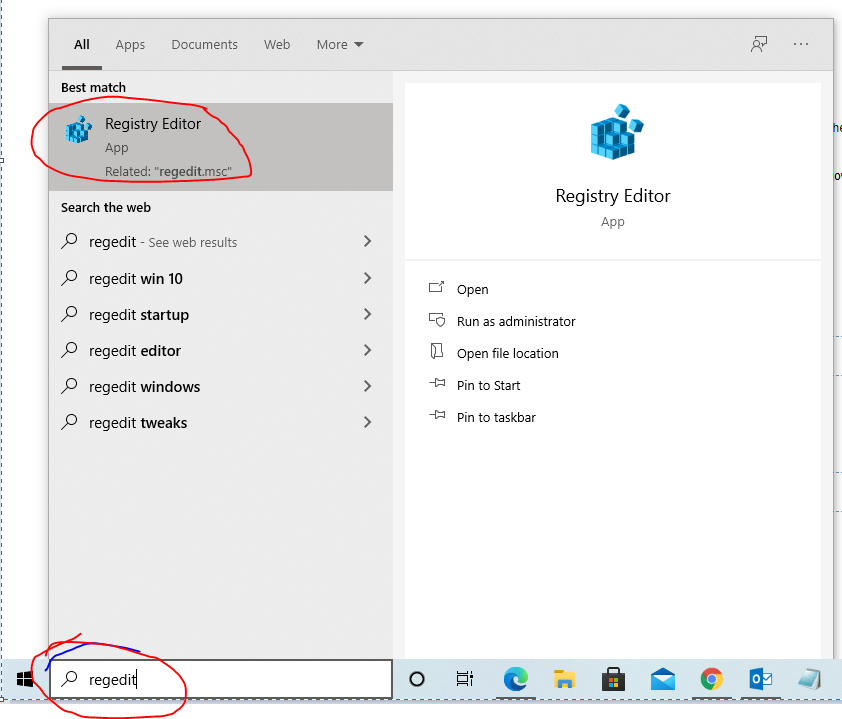
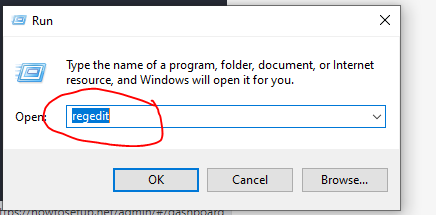
1. Type "Regedit" in your "Windows search" or "Run" and click "Registry Editor" and also click "Yes" if windows ask for consent.
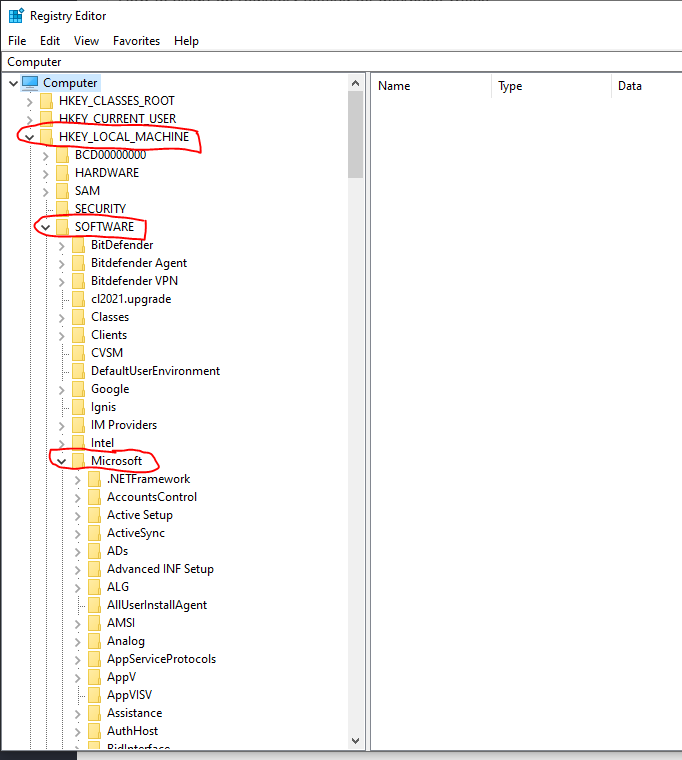
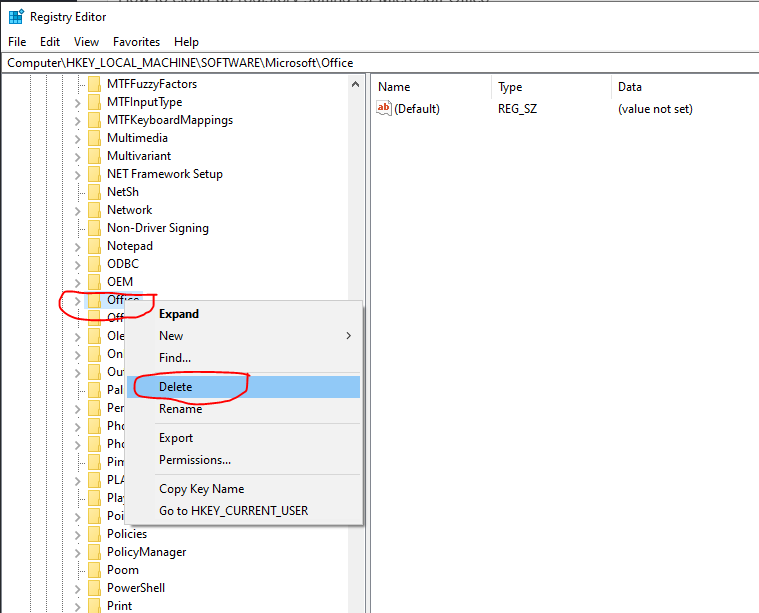
2. Navigate to "HKEY_LOCAL_MACHINE\SOFTWARE\Microsoft\Office" and right-click on the "Office" folder and click "delete" to delete the entry from the registry. And then restart your computer and reinstall office again.
Need help?
Send us your order number and a description of the issue. Keep your product key private.