How to Uninstall Microsoft Office from your control panel
1. In Windows 10 type "control panel" in the windows 10 search next to the start button and click "Control Panel" 2. Click on "Uninstall a Program" and you should have "View by: Category" 3. Click to select the…
1 min read · Beginner
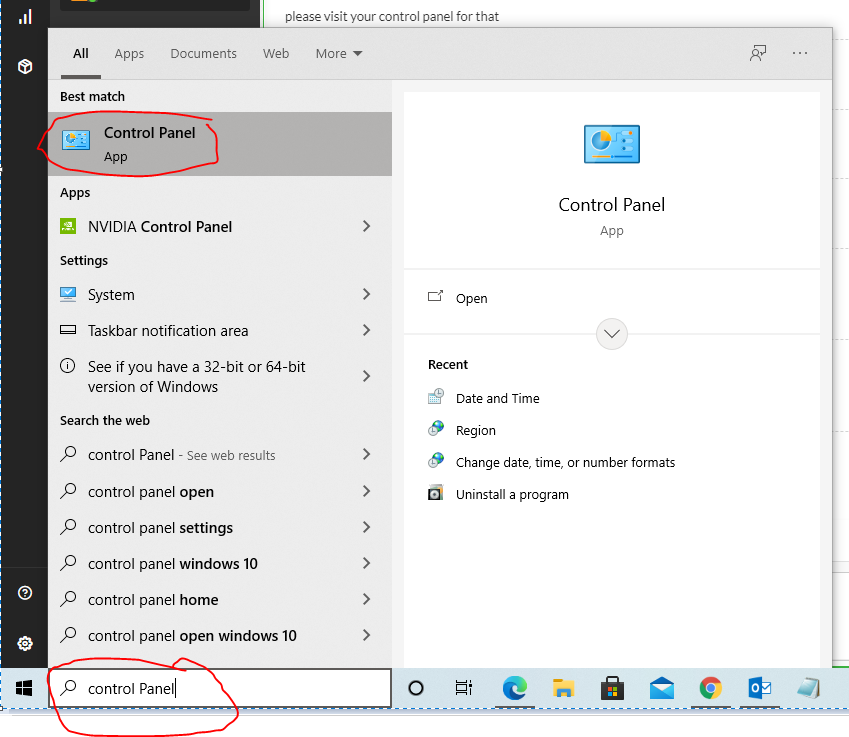
1. In Windows 10 type "control panel" in the windows 10 search next to the start button and click "Control Panel"
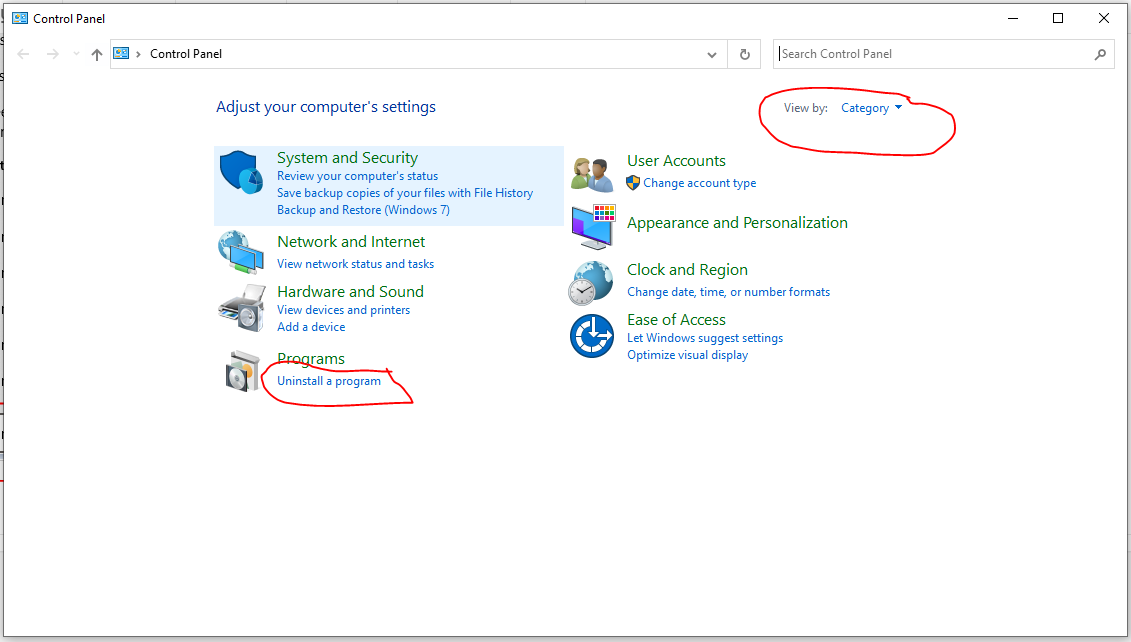
2. Click on "Uninstall a Program" and you should have "View by: Category"
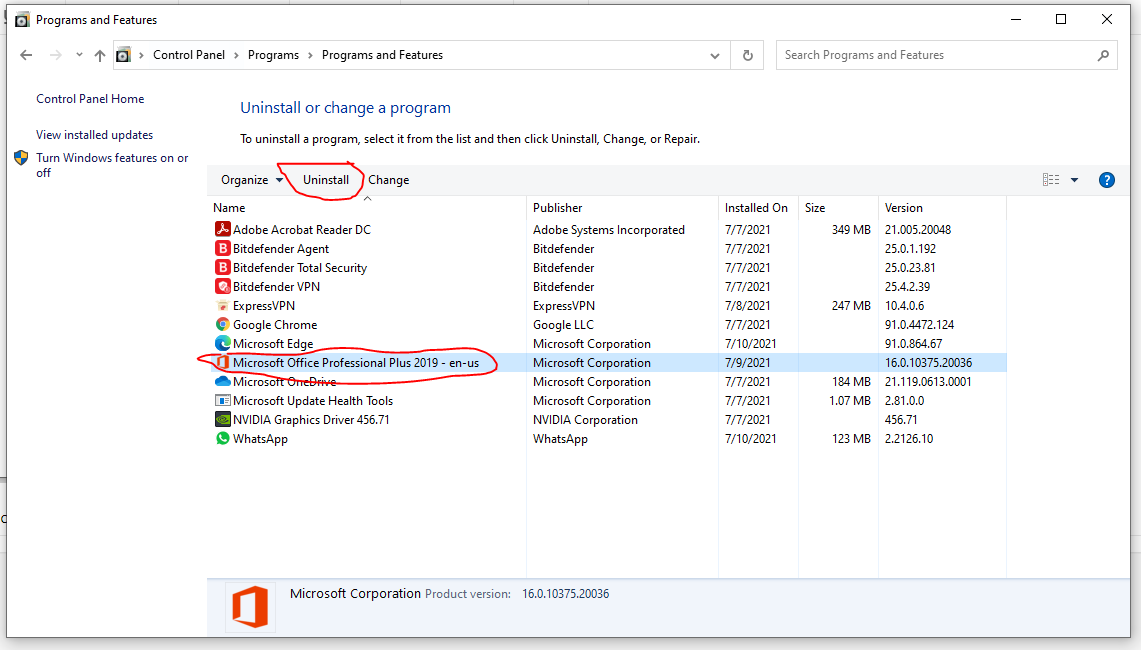
3. Click to select the Microsoft Office program you would like to uninstall and click "Uninstall" and follow the prompts to complete and then restart your PC/laptop
Need help?
Send us your order number and a description of the issue. Keep your product key private.