 Buy a Genuine Microsoft Windows 10 Key
Upgrade your Windows 7 / 8 / 8.1 to windows 10.
Method 1: (Recommended)
Steps 1: Create bootable USB or DVD (Need a empty USB approx. 8 GB or more )
https://howtosetup.net/post/2022/12/24/how-to-install-windows-10-from-direct-iso-download
Step 2: Install windows 10
Open USB and double click on the setup.exe and follow the prompt till windows 10 is installed.
Step 3: Activate Windows 10
https://howtosetup.net/post/2021/03/11/activate-your-windows-10
Method 2:
Step 1:
- Please visit: https://www.microsoft.com/en-au/software-download/windows10
- Click the “Download tools now” and run the file with YES consent
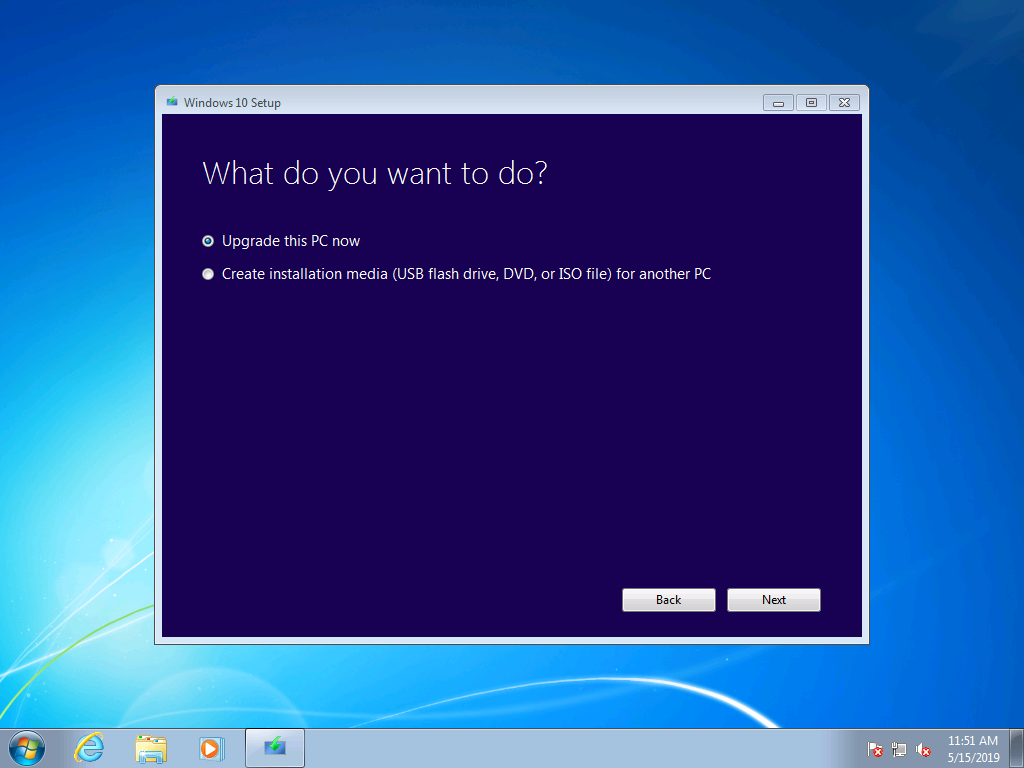
- Select the first option “Upgrade this PC Now”
- Wait until it finalizes everything
- Activate your windows 10 after it is fully loaded
- apply the Activation key (Click Start --> Setting --> Update & Security --> Activation --> Change Product Key)
IMPORTANT: proceed with step 2 if the activation key did not work
Step 2:
- Switch off the internet connection ( VERY IMPORTANT !)
- Click Start --> Setting --> Update & Security --> Activation --> Change Product Key and follow the prompt (Apply the Upgrade Key). You should have received this key with your purchase
- Turn on the internet back again
- Now apply the Activation key (Click Start --> Setting --> Update & Security --> Activation --> Change Product Key)